Your all-in-one
QA solution
Ensures quality by spotting gaps
between design and development.

Your design deserves to look exactly as intended.
No more back-and-forth.
No more "that's not what I designed."
Add to Chrome
Your design deserves to look exactly as intended.
No more back-and-forth. No more "that's not what I designed."
Add to Chrome
Made by
Side-by-Side Compare
Spot the Difference Instantly
Split-view comparison between your design and the live page
Slide the divider left and right to reveal differences
Works directly in the browser without any external tools
Design Overlay
See Exactly What's Off
Upload your design file and overlay it on top of the live webpage
Adjust opacity to compare design vs development side by side
Drag to reposition the overlay anywhere on the page
Instantly spot spacing, alignment, and color mismatches
Ruler & Guides
Measure Everything on the Page
Measure distances and dimensions directly on the live page
Draw horizontal and vertical guides anywhere on the screen
Check spacing, padding, and element sizing against your design specs
Live Commenting
Leave Feedback Without Leaving the Browser
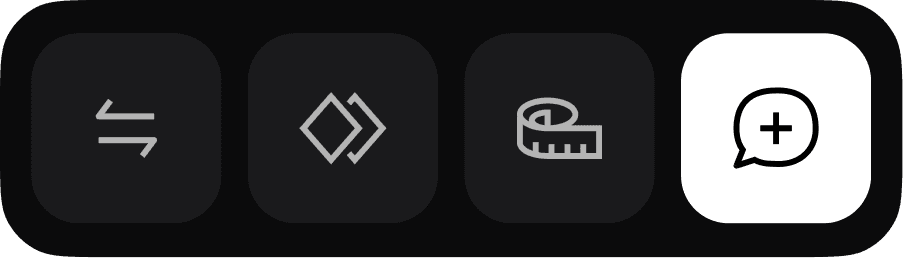
Drop comments directly on any element on the live page
Leave feedback for developers without switching tools
Pin notes to specific coordinates that stay in place on scroll
Auto Light & Dark Mode
Visible in Every Surface

Switch the EasyQA toolbar between light and dark theme
Stays readable on any page, bright or dark
Your preference saves automatically
Side-by-Side Compare
Spot the Difference Instantly
Split-view comparison between your design and the live page
Slide the divider left and right to reveal differences
Works directly in the browser without any external tools
Design Overlay
See Exactly What's Off
Upload your design file and overlay it on top of the live webpage
Adjust opacity to compare design vs development side by side
Drag to reposition the overlay anywhere on the page
Instantly spot spacing, alignment, and color mismatches
Ruler & Guides
Measure Everything on the Page
Measure distances and dimensions directly on the live page
Draw horizontal and vertical guides anywhere on the screen
Check spacing, padding, and element sizing against your design specs
Live Commenting
Leave Feedback Without Leaving the Browser
Drop comments directly on any element on the live page
Leave feedback for developers without switching tools
Pin notes to specific coordinates that stay in place on scroll
Auto Light & Dark Mode
Visible in every surface
Switch the EasyQA toolbar between light and dark theme
Stays readable on any page, bright or dark
Your preference saves automatically